

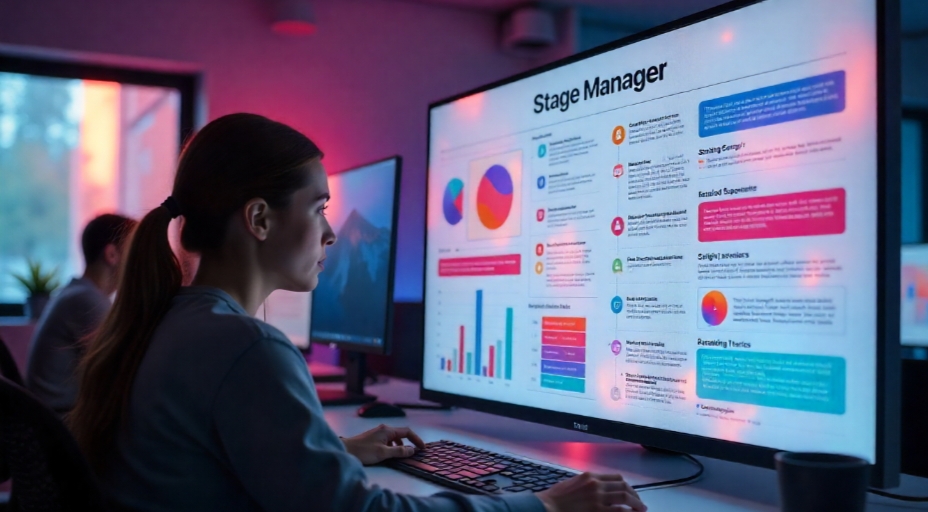
Stage Manager is one of macOS’s most underrated features, designed to streamline multitasking by keeping your workspace clean and organized. Whether you’re juggling work projects, personal tasks, or creative endeavors, Stage Manager can help you focus while still giving you quick access to everything you need. In this comprehensive guide, we’ll explore exactly how to use Stage Manager, advanced tips for maximizing its potential, and practical ways to integrate it into your workflow.
1. Understanding Stage Manager: What It Does and Why It Matters
Stage Manager in macOS automatically arranges your open apps and windows into a neat, scrollable sidebar, leaving the center of your desktop dedicated to the active window. This reduces visual clutter and makes it easy to switch between tasks without losing focus.
Instead of dealing with overlapping windows or constantly minimizing and maximizing, you can group related apps—perfect for project-based work. This helps you stay mentally organized, which is a key element of productivity science.
2. How to Enable Stage Manager on macOS
Getting started with Stage Manager is quick and simple:
1. Click the Control Center icon in the macOS menu bar.
2. Select Stage Manager to toggle it on.
3. Use the Settings icon within Stage Manager to customize options such as “Show Recent Apps” or “Hide Desktop Items.”
Tip: If you want an even smoother workflow, pair Stage Manager with Spotlight Search for lightning-fast file and app retrieval. Here’s a resource with Master macOS Spotlight for faster searches—tried and tested tips to further enhance your setup.
3. Organizing Apps and Windows Like a Pro
Stage Manager allows you to create custom app groups. For example:
• Work group: Notes, Safari, Mail
• Design group: Photoshop, Finder, Preview
• Communication group: Slack, Messages, Zoom
To create a group, simply drag one app window from the sidebar onto another active window. The apps will now appear together whenever you switch back to that group.
You can also reorder groups by dragging them in the sidebar, which is useful if you want your most-used setups at the top.
4. Integrating Stage Manager into Different Work Environments
Stage Manager isn’t just for traditional office tasks—it shines in specialized environments too. For example, in healthcare settings, where efficiency and minimal distraction are essential, Stage Manager can make patient data entry and communication faster. By grouping medical reference apps, telehealth tools, and documentation software, professionals can work without visual overload.
If you’re interested in how Apple hardware and software improve workflows in clinical contexts, check out this resource on Using Apple technology to reduce stress in medical settings for real-world insights.
5. Combining Stage Manager with Productivity-Boosting Features
Stage Manager works best when paired with other macOS features:
• Split View: Combine Stage Manager’s organized sidebar with Split View for dual-app focus.
• Focus Modes: Sync Stage Manager groups with Focus Mode profiles to auto-hide notifications based on your task.
• Universal Control: Move content between devices seamlessly while Stage Manager keeps your workspace tidy.
And if you’re looking to keep your mind sharp and your body energized during long work hours, consider integrating healthy breaks and exercise tracking. Apple Watch users can take advantage of optimizing fitness routines using Apple Watch features to boost both productivity and personal well-being.
6. Advanced Stage Manager Tips for Power Users
Here are some ways to unlock Stage Manager’s full potential:
• Shortcut Activation: Assign a keyboard shortcut via System Settings > Keyboard > Shortcuts for instant toggling.
• Desktop Item Access: Hold down Command and click the desktop when items are hidden to quickly reveal them.
• Drag-and-Drop Efficiency: Move files between app groups without leaving Stage Manager by dragging directly from the sidebar to the active window.
These small time-savers add up, making Stage Manager a powerhouse for efficiency.
7. Common Mistakes to Avoid
Even a great tool can be underused if approached incorrectly. Watch out for:
• Overloading app groups with too many windows.
• Forgetting to hide unused apps, which can clutter the sidebar.
• Not customizing settings to match your workflow.
Conclusion
Stage Manager is more than just a visual tweak—it’s a robust productivity tool for macOS users. By organizing your workspace, reducing visual clutter, and combining it with other macOS features, you can create an environment that supports focus and efficiency.
If you take the time to tailor Stage Manager to your habits, you’ll likely find it becomes an indispensable part of your daily routine.
For more insightful articles and the latest updates, keep visiting Hacoo.